We may earn a commission if you buy through links on this page.
We've verified this Covenant Eyes promo code, and it's working:
- SAVE2026 - Get 30 days free on any Covenant Eyes plan, and cancel anytime.
Covenant Eyes' main app is now called Victory by Covenant Eyes, and the code works on it. In this article you'll find who can use the code, step-by-step redemption instructions, pricing, features, the refund policy, other ways to save and answers to common questions.
Get 30 Days Free
Use promo code SAVE2026 to get your first 30 days of Covenant Eyes free. Cancel before the 30 days are up and you won't be charged.
Current Covenant Eyes Promo Codes & Offers ()
| Promo code | Offer | Eligible plans | Validity |
|---|---|---|---|
| SAVE2026 | 30 days free, cancel anytime | Monthly, yearly and lifetime | 31 December 2026 |
How we verify this code
SAVE2026 is issued to Trivas Media directly by Covenant Eyes, so it's an official code, not copied from a coupon site. We test it at Covenant Eyes' own checkout at the start of every month, and again whenever the offer changes: we add a product or plan to the basket, apply the code and check the discount before payment. The checkout screenshots on this page come from those tests. If a code stops working, we update this page or remove it.
Last verified:
Covenant Eyes normally gives a 7-day free trial, so SAVE2026 gives you 23 extra days to try it before you pay anything.
SAVE2026
This code replaces the usual 7-day trial with 30 days free. You get the full service in that time: Screen Accountability, blocking, allies and lessons. If you keep it, your plan starts at the normal price after the 30 days.
Eligibility for the Covenant Eyes Promo Code
Here's who can use SAVE2026:
- New Covenant Eyes customers
- Works on monthly, yearly and lifetime plans
- Available worldwide
- Enter it when you sign up on the Covenant Eyes website
- Valid until 31 December 2026
How to Redeem the Covenant Eyes Promo Code (Step-by-Step Guide)
Step 1: Go to the Covenant Eyes website and choose Start Free Trial.

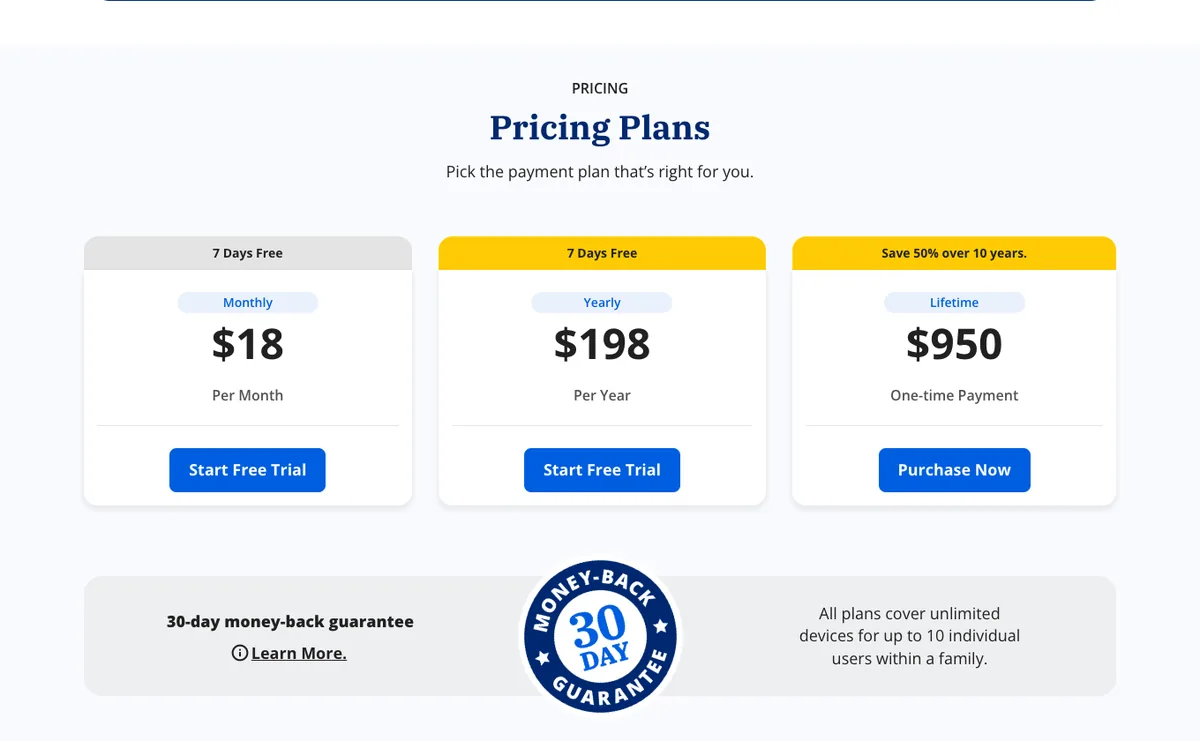
Step 2: Pick the monthly, yearly or lifetime plan.
Step 3: Create your account, then enter SAVE2026 in the promo code box at checkout.
Step 4: Check the order summary shows the 30 days free promo and the amount you'll pay today.
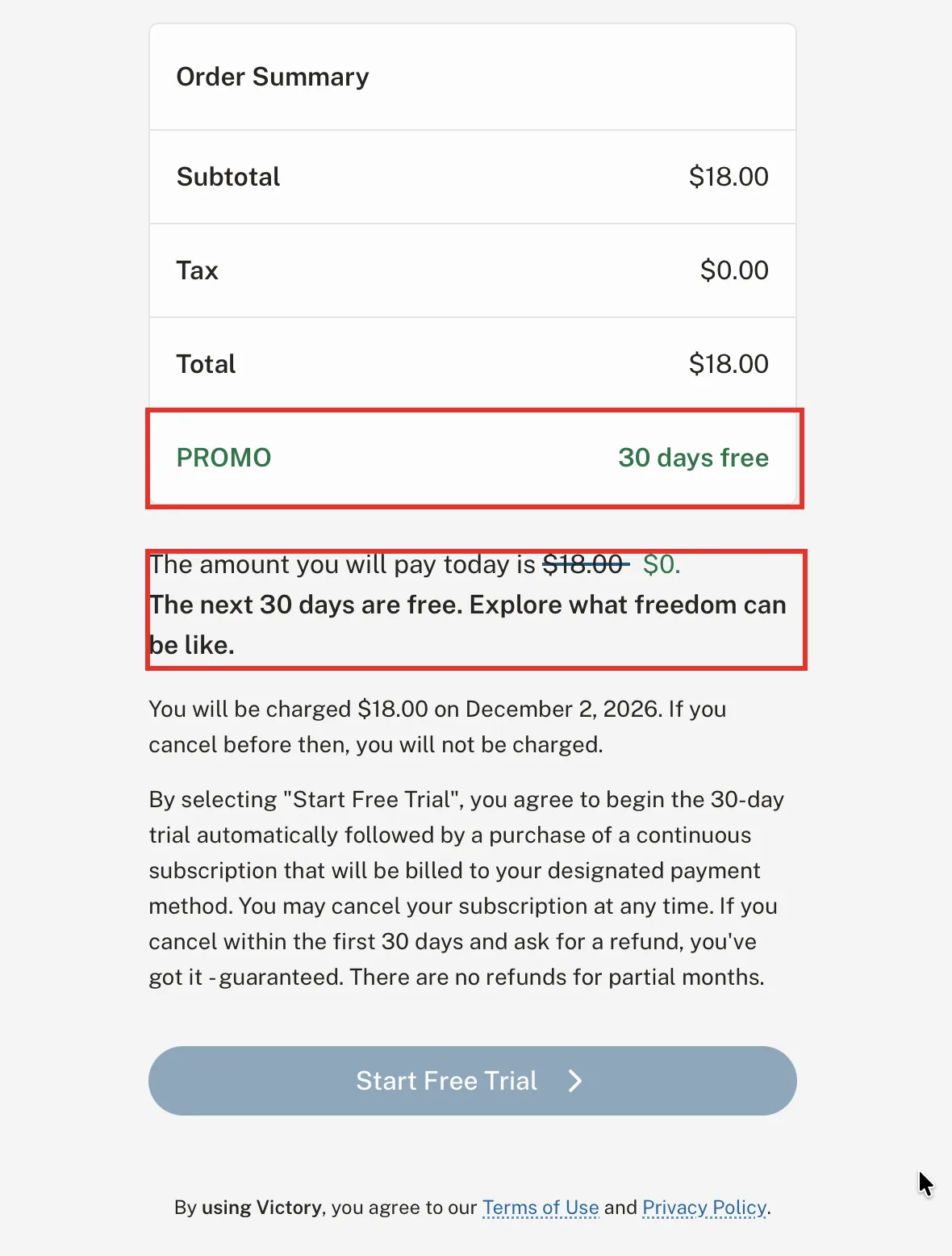
Step 5: Select Start Free Trial. The checkout shows the date of your first charge, and you won't be charged if you cancel before then.
Covenant Eyes Pricing Plans Explained
Here's what each plan costs and what SAVE2026 adds:
| Plan | Price | Usual free trial | With SAVE2026 |
|---|---|---|---|
| Monthly | $18/month | 7 days | 30 days free, then $18/month |
| Yearly | $198/year | 7 days | 30 days free, then $198/year |
| Lifetime | $950 one-time | None listed | 30 days free |
Every plan covers unlimited devices for up to 10 people in a family. The yearly plan costs $18 less than twelve months of the monthly plan, and Covenant Eyes says Lifetime saves 50% over ten years.
What Is the Refund Policy for Covenant Eyes?
Covenant Eyes has a 30-day money-back guarantee. First-time users who cancel within their first 30 days of service can get a full refund of what they were charged in that time. You request it from the Member Care team, and Covenant Eyes honours it up to 60 days after you cancel.
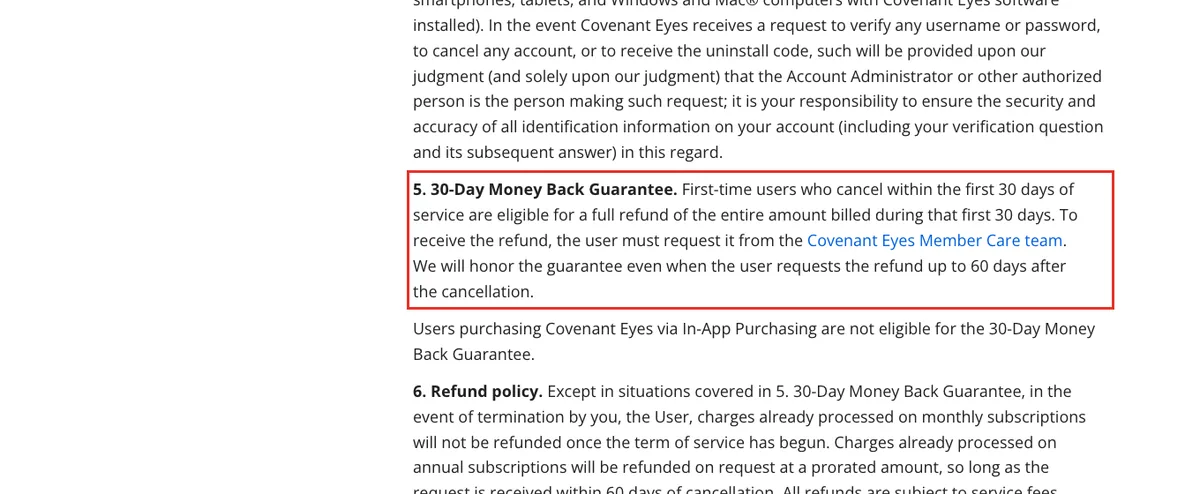
The guarantee doesn't cover purchases made through in-app purchasing. Outside it, monthly charges aren't refunded once a month has started, and annual plans can get a prorated refund if you ask within 60 days of cancelling.
To cancel, contact Member Care by phone, chat or email, or cancel through the App Store or Google Play if you signed up there. Uninstalling the app doesn't cancel your subscription.
Covenant Eyes Key Features
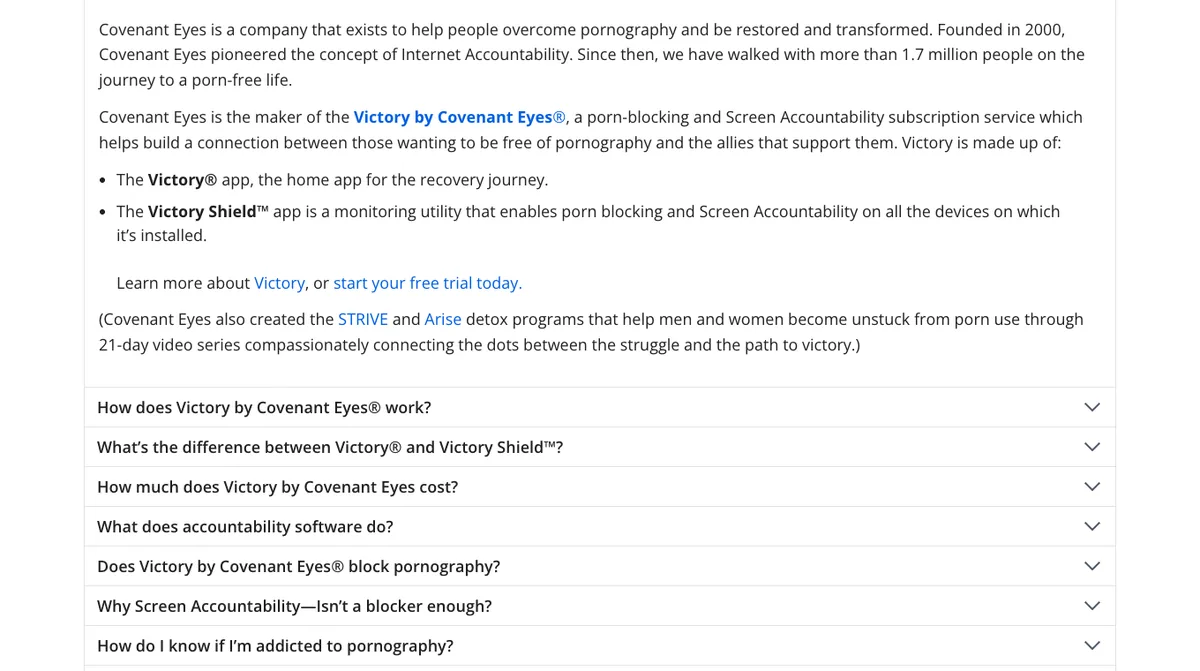
Victory by Covenant Eyes has two parts: the Victory app, where you see your reports and connect with your allies, and Victory Shield, which runs on each device. Together they include:
1. Screen Accountability
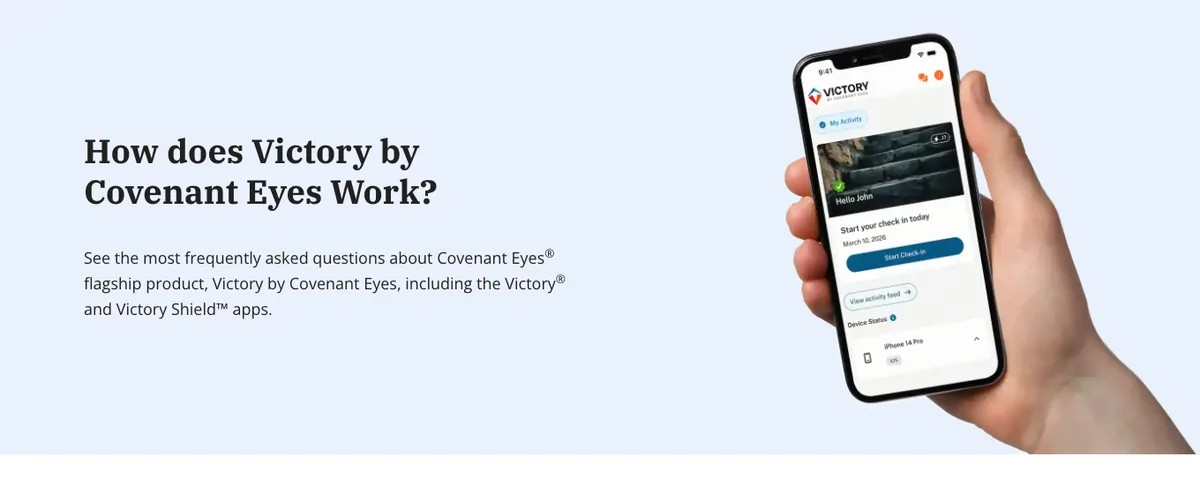
Victory Shield takes periodic screenshots on your devices, detects potentially explicit content and shares a summary with your ally. This is the heart of how Covenant Eyes works.
2. Porn Blocking
Alongside accountability, Covenant Eyes filters websites in two ways. Its blocking level sets how strict the filter is: Standard, the default, blocks adult, pornographic and explicit sites and turns on SafeSearch in Google and Bing, while Strong also blocks proxies, VPN domains and some mixed-content sites such as Reddit, and sets YouTube to restricted.
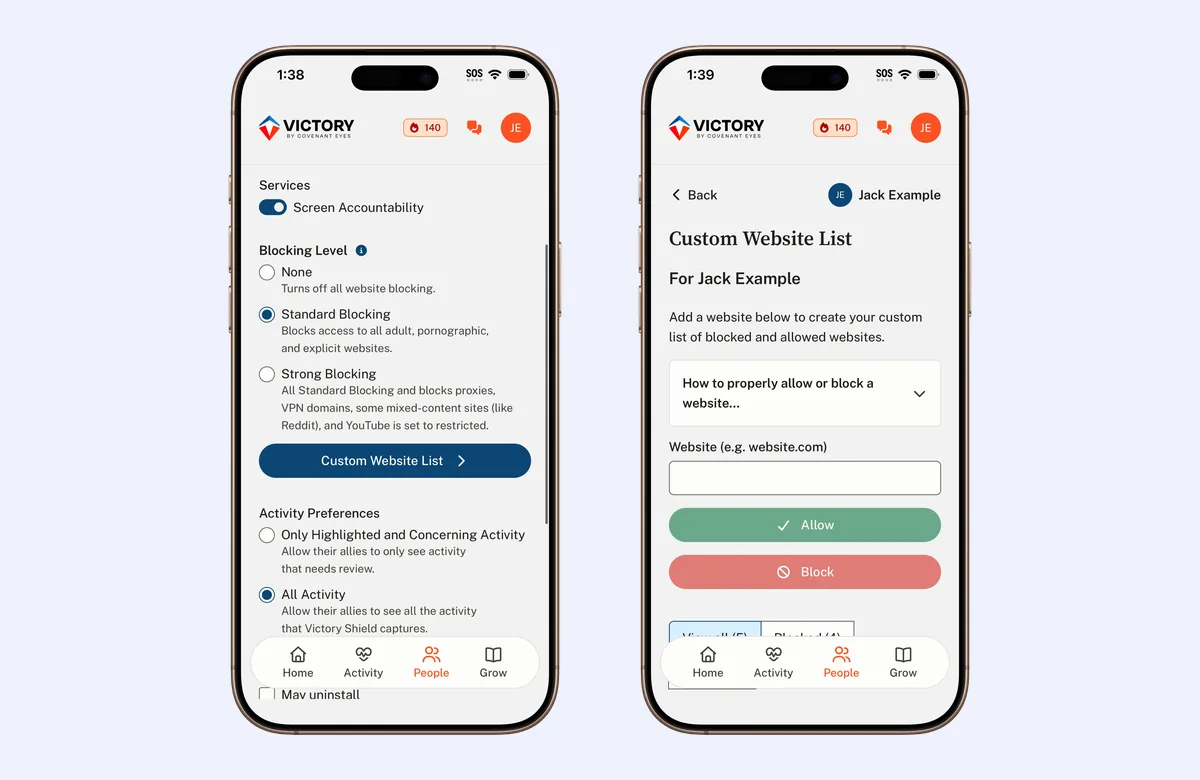
A Custom Website List lets you block or allow specific websites and subdomains on top of that.
3. Allies
You invite an ally, someone you trust, to support you. Allies use the Victory app free and get notifications, daily check-ins and secure chats with you.
4. The Victory App
The Victory app is your home base. You review your own activity reports, stay connected with your allies and work through the learning content.
5. Check-ins
Check-ins pull the most important activity from your feed into a short daily review, with prompts to reflect on emotions and triggers. Each check-in is colour-coded, so you and your ally can see at a glance whether anything concerning was detected.
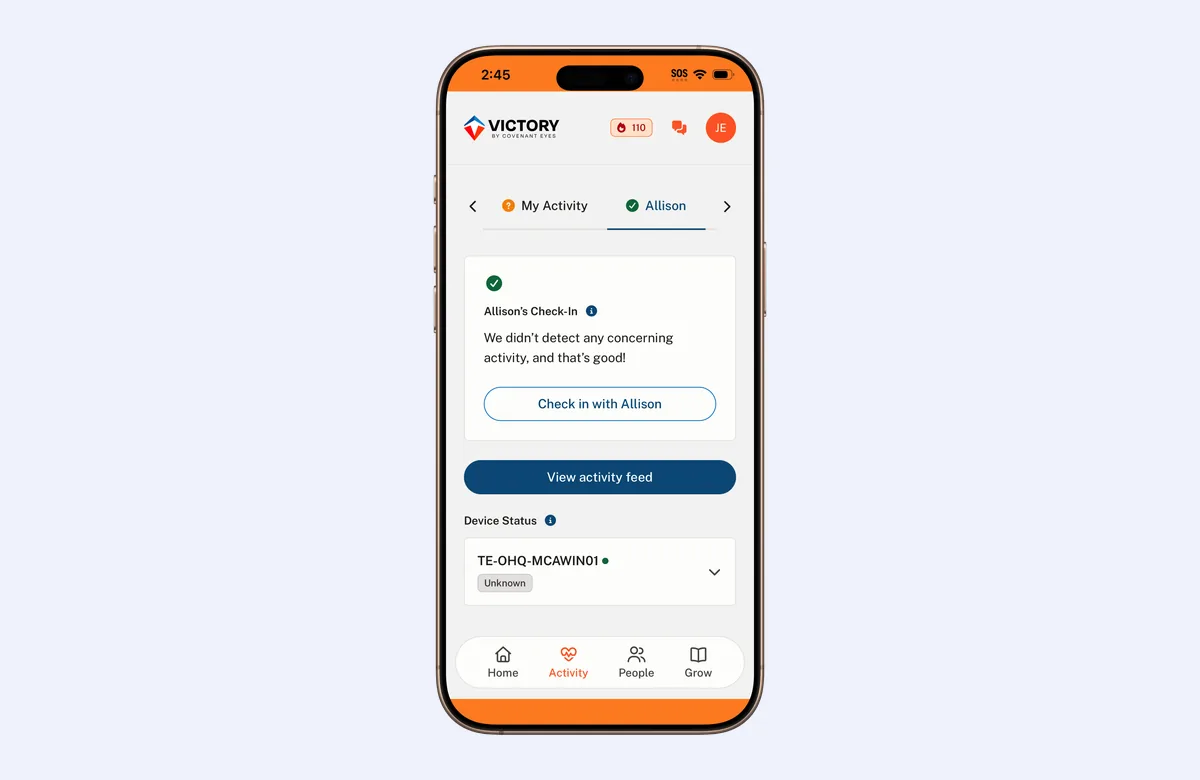
Members and allies see slightly different check-ins, and you can check in up to once an hour if you want to.
6. Lessons
The Grow section of the Victory app has free mini-courses in six categories, reviewed by licensed professionals. Courses include Mapping Your Journey, Why You Really Turn to Porn and Why Your Brain Craves Porn.
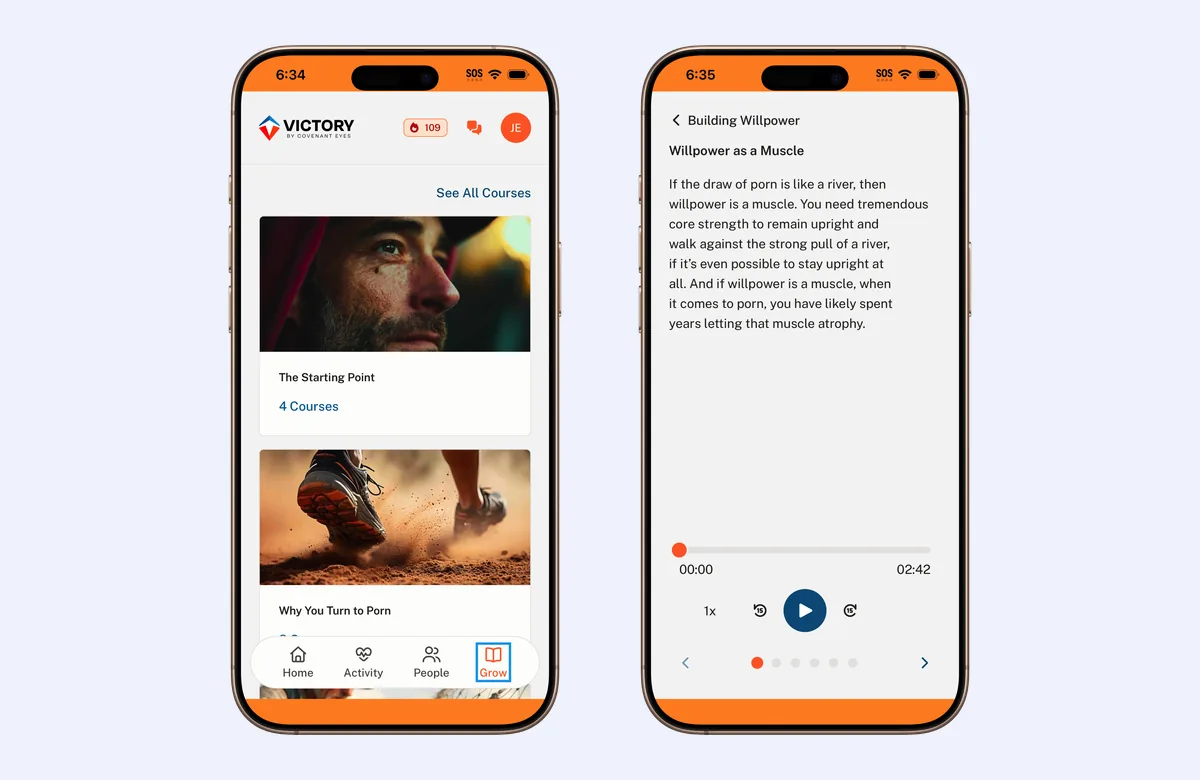
You can read each lesson or listen to it with the built-in audio player.
7. Community
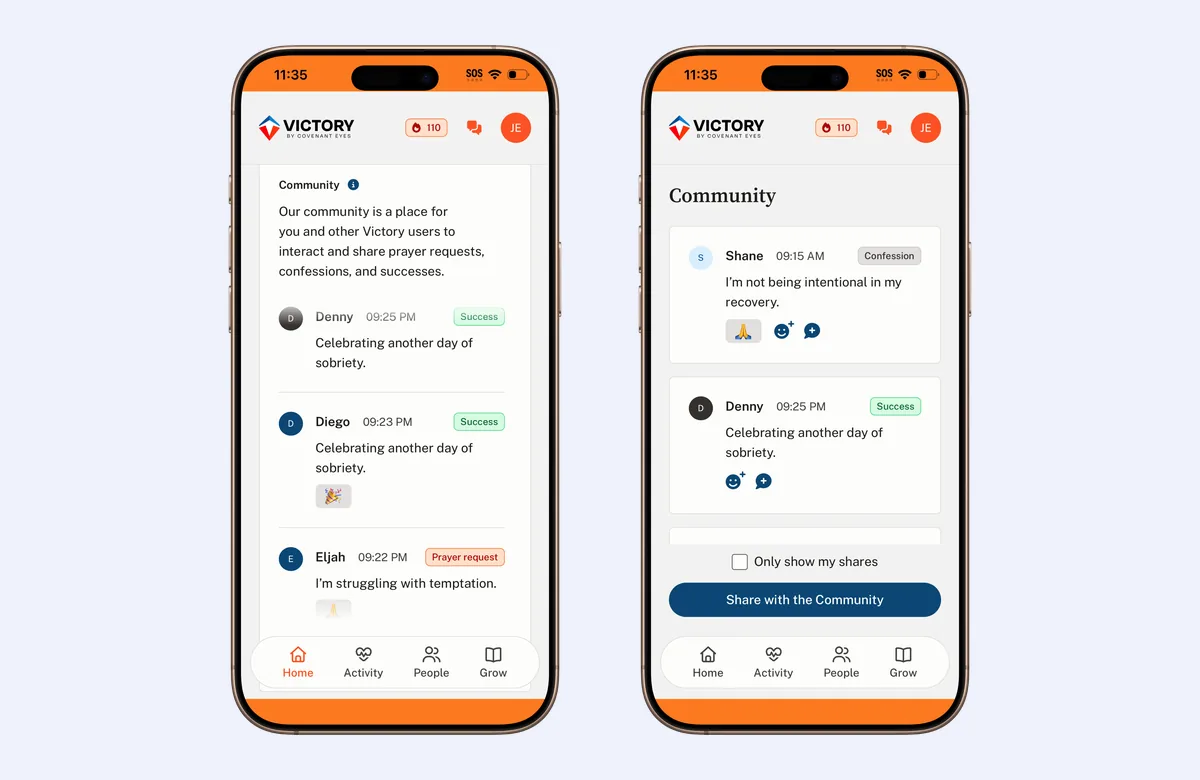
The Community lets Victory users share prayer requests, confessions and successes, and react and reply to each other's posts. Joining is optional, and only your first name is shown.
8. Unlimited Devices for the Family
Every plan covers unlimited devices for up to 10 people in a family, on iPhone and iPad (iOS 15.1+), Android 11+, Mac 11+ and Windows 10+.
Covenant Eyes Pros and Things to Know
| Pros | Things to know |
|---|---|
| Accountability with a person you choose | On iPhone, screenshots cover Safari only, with other apps blocked at domain level |
| Blocking and Screen Accountability together | Not available on Chromebooks, Kindle, smart TVs, VR headsets or Linux |
| Unlimited devices for up to 10 family members | Uninstalling doesn't cancel, so contact Member Care to stop billing |
| Allies use the app free | Built around Christian faith, and endorsed by the American Association of Christian Counselors |
| 30-day money-back guarantee for first-time users | Prices are in US dollars |
| Free lessons and an optional community included | - |
Which Covenant Eyes Plan Is Best for You?
| Features | Monthly | Yearly | Lifetime |
|---|---|---|---|
| Price | $18/month | $198/year | $950 one-time |
| Free with SAVE2026 | 30 days | 30 days | 30 days |
| Unlimited devices, up to 10 users | |||
| Screen Accountability and blocking | |||
| Allies, check-ins and lessons | |||
| 30-day money-back guarantee |
Monthly suits you if you want to start small. Yearly costs less over twelve months. Lifetime is a single payment that Covenant Eyes says covers a family indefinitely.
Other Ways to Save on Covenant Eyes
- Choose yearly: $198 a year, against $216 for twelve months of the monthly plan.
- Choose lifetime: a single payment of $950, which Covenant Eyes says saves 50% over ten years.
- Cover the whole family: one plan covers up to 10 people, so you don't pay per person.
- Allies are free: the people supporting you don't need their own plan.
Note: SAVE2026 gives every plan 30 days free, so you can try Covenant Eyes properly before you pick monthly, yearly or lifetime.
Does Covenant Eyes Offer a Free Trial?
Yes. Covenant Eyes normally gives 7 days free on the monthly and yearly plans. With SAVE2026 you get 30 days free instead, and you can cancel at any point before the first charge.
Is Covenant Eyes Worth It?
- For individuals: accountability with someone you trust, alongside blocking.
- For families: one plan covers up to 10 people on unlimited devices.
- Support: lessons, check-ins and a community come with every plan.
- Experience: Covenant Eyes says it has helped more than 1.7 million people.
- Risk: a 30-day money-back guarantee for first-time users, and 30 days free with SAVE2026.
How Covenant Eyes Compares With Other Options
Many porn blockers and parental control apps work by filtering on their own. Covenant Eyes takes an accountability approach: alongside blocking, it shares a summary of your activity with someone you trust, and supports you with check-ins, lessons and a community. Covenant Eyes itself says Victory isn't a parental control app. Which suits you depends on whether you want filtering, accountability or both.
Related Reads
Conclusion: Get 30 Days of Covenant Eyes Free
Use SAVE2026 when you sign up to get 30 days of Covenant Eyes free on any plan, and cancel anytime before your first charge. The code runs until 31 December 2026, and we verify it at the start of every month.
FAQs
Does SAVE2026 work on the yearly and lifetime plans?
Yes. SAVE2026 gives 30 days free on monthly, yearly and lifetime plans.
Will I be charged during the 30 days?
No. The checkout shows the date of your first charge, and you won't be charged if you cancel before then.
Can I cancel Covenant Eyes anytime?
Yes. Contact Member Care by phone, chat or email, or cancel through the App Store or Google Play if you signed up there. Uninstalling the app doesn't cancel.
Is Covenant Eyes the same as Victory?
Yes. The Covenant Eyes app is now called Victory by Covenant Eyes, and Victory Shield is the part that runs on each device.
How many devices does Covenant Eyes cover?
Every plan covers unlimited devices for up to 10 people in a family.
Does Covenant Eyes work on iPhone?
Yes, on iOS 15.1 and later. On iPhone, screenshots are taken in Safari, and other browsers and apps are blocked at domain level.
When does SAVE2026 expire?
SAVE2026 is valid until 31 December 2026.
Affiliate disclosure
Trivas Media is an affiliate partner of Covenant Eyes. If you buy through the links on this page, we may earn a commission at no extra cost to you. It doesn't change the codes or prices you get. We only list codes we've verified, and we update this page when an offer changes.